mattpocock/skills vs pstack: Which Skill Pack to Install
mattpocock/skills and pstack both add skills to Claude Code. This compares their source: entry points, setup, models, and strengths, so you can pick one first.
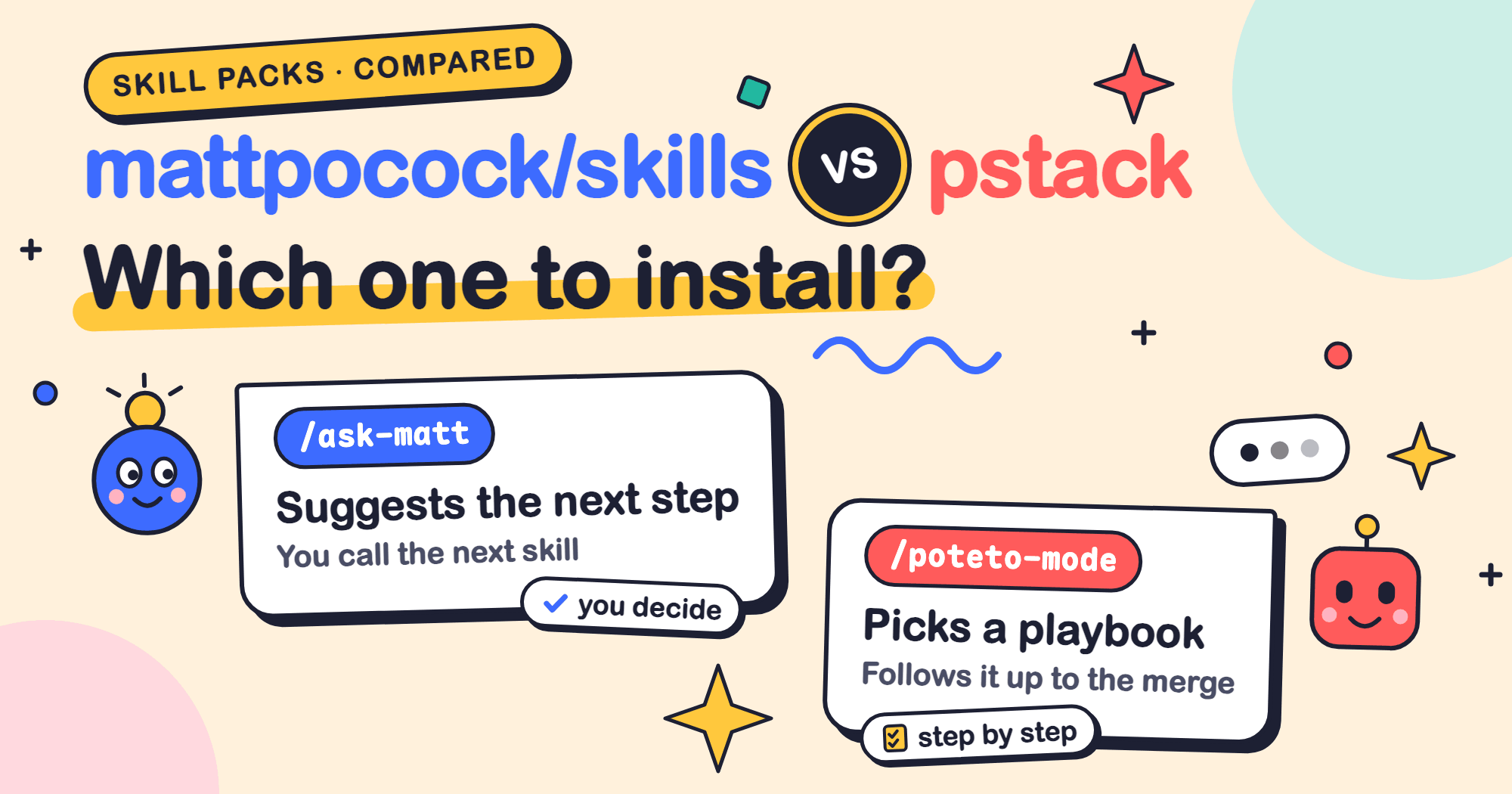
If you want an AI coding assistant to follow a fixed workflow, you’ll likely run into two skill packs: mattpocock/skills and pstack. Both work in Claude Code, and I’ve written a full series on each. This post compares their source code, then suggests which one to install first based on the work in front of you.
This comparison uses mattpocock/skills
1.3.2and pstack0.15.48, checked on 2026-11-24. My two series used the older1.2.3and0.15.43, and the numbers here come from the newer versions.
The Biggest Difference Is Who Picks the Next Step
You call both entry points yourself, and the difference is what happens next. With /ask-matt, you decide which skill to call next. With /poteto-mode, pstack plans the steps for your goal and works through them.
- The mattpocock/skills entry point is
/ask-matt. ItsSKILL.mddescribes it as a router over the other skills. You describe where you are, it suggests the next skill to call, and you call it yourself. - The pstack entry point is
/poteto-mode. It matches the task to a playbook (a fixed set of steps written for one kind of task), copies the steps into a to-do list, and starts working through them.
/poteto-mode reads the other skills its playbook needs. Under the pstack autonomy rules, it goes ahead with anything reversible and stops before force-pushing a shared branch, deploying, or deleting data.
When it runs on its own while you’re away, it also hands back product decisions that need your judgment, and real dead ends (see the autonomous run playbook).
The Differences in One Table
| mattpocock/skills | pstack | |
|---|---|---|
| Author | Matt Pocock | Lauren Tan (known online as poteto) |
| Where it lives | The author’s own repo, mattpocock/skills, MIT license | Cursor’s official plugin repo, cursor/plugins, MIT license |
| Size | 27 skills in the official plugin | 59 skills (24 of them principles), plus 22 playbooks |
| Supported AI coding assistants | Plugins for Claude Code, Codex, and GitHub Copilot; Cursor and other tools install with npx skills | Cursor, and Claude Code through its plugin |
| Entry point | /ask-matt suggests the next skill | /poteto-mode picks a playbook and follows it |
| Who calls the other skills | You, following /ask-matt; the AI can also use 11 of them on its own | /poteto-mode, following the playbook; you can also call them directly |
| What first-time setup writes | docs/agents/ in your repo, plus AGENTS.md or CLAUDE.md | A model config file in your user directory |
| Where work is recorded | Issues, a GLOSSARY.md glossary, decision records | Plan files, branches, and PRs |
| Which model it uses | Doesn’t specify; the README says any model works | Set per role; reviews default to three panel seats |
I got the numbers in the table by counting files at the newer versions, so they differ from what my two series say.
The mattpocock/skills series says 25 skills. The newer version adds implement-spec, pr, and retro, and drops resolving-merge-conflicts. The pstack series says 58, and 0.15.47 added /reframe.
pstack works in Claude Code too, but a few steps behave differently there (see pstack’s Claude Code compatibility notes). Steps that need Cursor Automations or need to start Bugbot are skipped, and the review seat assigned to Gemini uses your current session’s model instead.
mattpocock/skills Keeps Decisions in the Repo
mattpocock/skills mostly produces files in your repo, so the next conversation or the next person can pick up from them. On first setup, setup-matt-pocock-skills writes these:
- Three files under
docs/agents/that record where issues live, what the triage labels are called, and where the domain docs are. - An
## Agent skillsblock inAGENTS.mdorCLAUDE.md, so the AI reads it at the start of every session.
The later skills leave a record too. Terms settled during a grill-with-docs interview go into GLOSSARY.md, and key decisions become ADRs (architecture decision records). to-tickets splits a spec into tickets (issues), each noting which others block it. For the full workflow, see Part 2 and Part 3 of the mattpocock/skills series.
Once you have tickets, you can use /implement-spec to build the whole spec in one run. It uses the dependencies between tickets to decide which work can run in parallel, then merges the results into one integration branch (see the implement-spec steps).
I think this pack fits best on projects with several maintainers, or where one feature takes several conversations to finish. With the glossary, ADRs, and tickets, whoever takes over can look up what was decided.
pstack Puts Its Effort Into Checks Before and After the Change
pstack’s strength is understanding the code before changing it and proving the change works afterward. Its tools fall into roughly three stages:
- Understand and design:
/howand/whyread the code and its history, and/architectand/arenacompare several designs (Part 2). - Prove it works:
/interrogatehas several AIs look for holes in a change and keeps only the issues that reproduce. The verification skills turn manual checks into steps the AI can rerun (Part 3). - Run on its own: once you set permissions and a spending cap, it can finish a playbook while you’re away (Part 4).
pstack has tools for clarifying requirements too, but the results end up somewhere else. /reframe teaches you the expert terms for your problem, and /sharpen makes the task deeper rather than bigger. Both end by rewriting your prompt for this session, and neither writes its conclusions into repo docs the way grill-with-docs does.
All these checks cost usage. pstack often starts subagents, meaning separate AIs that each handle a subtask. Reviews and design comparisons default to three panel seats at once, each running its own subagent.
A few skills in mattpocock/skills use subagents too. code-review, for example, splits the review between two subagents, but it doesn’t pick models for you.
You Can Install Both in the Same Claude Code
I have both installed in my own Claude Code. mattpocock/skills installs from the official Claude Code plugin marketplace. Run this in your terminal:
1
claude plugin install mattpocock-skills@claude-plugins-official
According to the README, pick either the plugin or npx skills, not both, or every skill shows up twice.
For pstack, add Cursor’s plugin repo first. Type this in Claude Code:
1
2
/plugin marketplace add cursor/plugins
/plugin install pstack@cursor-plugins
Both packs have a tdd and a teach, but they don’t overwrite each other. Claude Code puts the plugin name in front of each plugin command, so the full name tells them apart:
1
2
/mattpocock-skills:tdd
/pstack:tdd
The same name doesn’t mean the same approach. The mattpocock/skills tdd is a test-first red-green-refactor loop. The pstack tdd only applies when you ask for it or when a test is cheap to write.
The two packs also handle updates differently. The mattpocock/skills plugin updates itself by default. pstack comes from a third-party marketplace, so Claude Code doesn’t auto-update it by default. To pin pstack to a version, see Part 1 of the pstack series.
Choose Based on the Work in Front of You
The two packs can also take turns on one task, such as adding an order CSV export to an admin dashboard. The team first needs to agree on which fields to export and who can download the file. mattpocock/skills can help you settle those questions, and its spec skill writes the decisions into a spec for the next person.
Once the spec and acceptance criteria are settled, you can hand the same task to pstack’s feature playbook. Following it, the AI plans the design, implements and verifies the export, and opens a PR.
When you split work into stages like this, I suggest sticking to one pack per stage, so whoever takes over knows which tool to use next.
If you only want to install one pack for now, look at where your work usually gets stuck:
flowchart TD
  A[A new task] --> B{Are the requirements clear?}
  B -->|Not yet| C["mattpocock: /grill-with-docs"]
  B -->|Clear| D{Handing off or opening issues?}
  D -->|Yes| E["mattpocock: /to-spec"]
  D -->|No| F{Large change or hard to verify?}
  F -->|Yes| G["pstack: /poteto-mode"]
  F -->|No| H[Just ask the AI]
Three cases don’t need the chart:
- You use Codex or GitHub Copilot: choose mattpocock/skills. pstack doesn’t offer an install for either tool.
- You want the AI to finish while you’re away: choose pstack, and read about permissions and spending caps in Part 4 first.
- Your usage budget is tight: I suggest starting with mattpocock/skills, since pstack reviews run three subagents at once.
If you still can’t decide, both series guides have a table for picking a starting point. Choose your first post from there.
Further Reading
- mattpocock/skills Series Guide: What It Is, How to Start: six parts in development order.
- pstack Series Guide: What It Is and Where to Start: four parts in workflow order.
- How to Write an Agent Skill: SKILL.md, Triggers, Tests: write your own when neither pack fits.
- Agent Skill and MCP Security Risks: 5 Cases, a Checklist: check permissions and pin versions before installing either pack.
- mattpocock/skills README: install instructions for each AI coding assistant (
1.3.2). - pstack README: the author’s design ideas and the Claude Code install steps (
0.15.48).