pstack Series Guide: What It Is and How to Read the Four Parts
Still deciding on pstack, or only need one piece? This guide covers what it is, how the four parts connect, and which to read first.
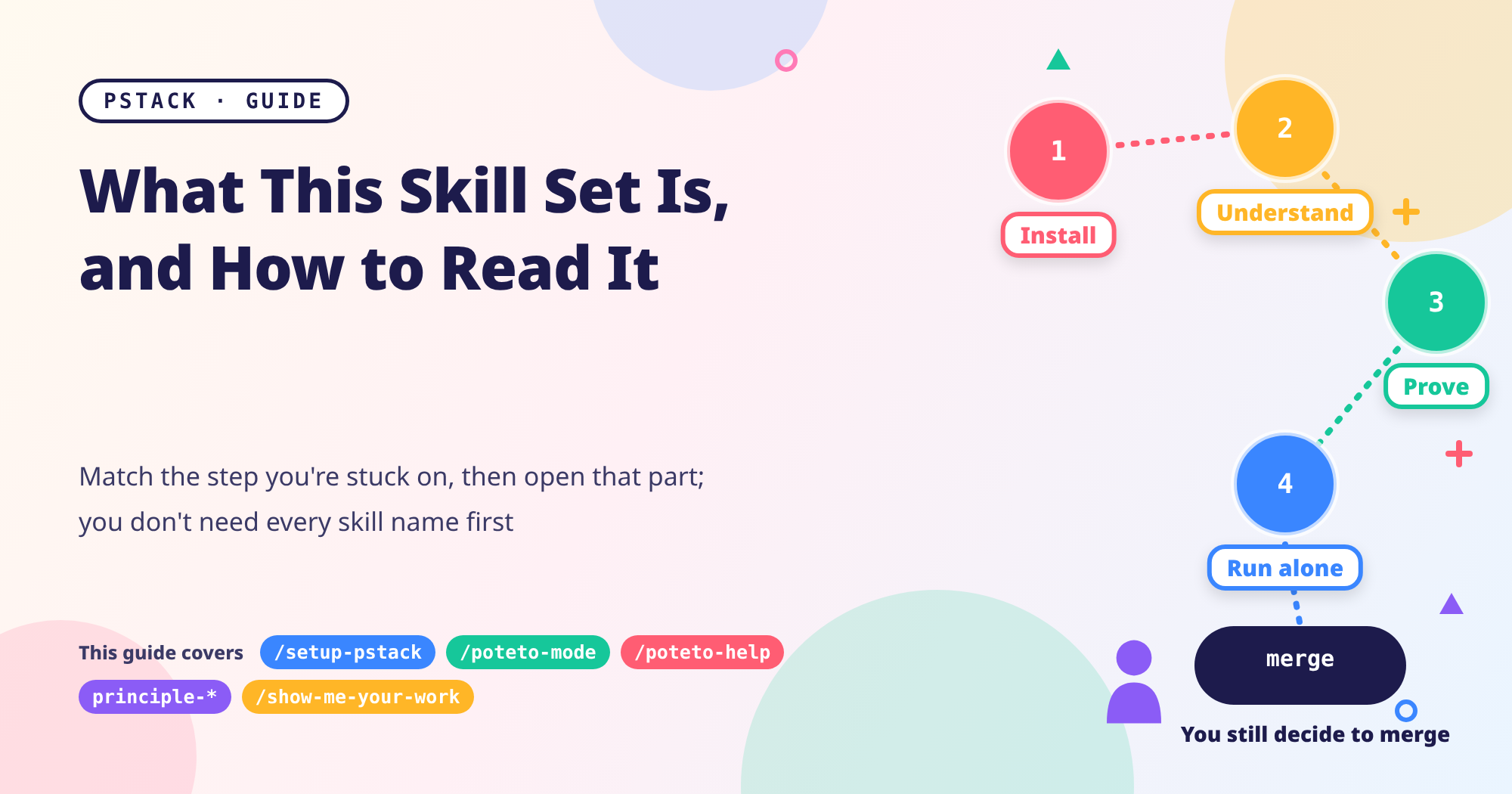
Maybe you’ve heard of pstack, opened the repo, and found nothing but a long list of skill names. Or maybe you landed on one of the posts from a search and want to know what comes before and after it. I wrote this series in four parts, each covering one stretch of coding with AI. This guide won’t rehash the details; it just answers three questions: what pstack is, how the four parts fit together, and which one you should start with.
pstack series Guide
- Start from the beginning (Part 1): Install, Pick Models, Start With /poteto-mode
Parts 3 and 4, along with this guide, are pinned to pstack
0.15.36(commitc742dd6); Part 1 uses0.15.29and Part 2 uses0.15.30. Details are in the version notes below.
What pstack Is
pstack is a collection of skills that Lauren Tan (known online as poteto) maintains in Cursor’s official plugin repo, cursor/plugins, under the MIT license. You can think of a skill as a set of instructions telling an AI coding assistant how to handle one kind of work. By AI coding assistant, I mean tools like Cursor or Claude Code that can read and write your project files and write code for you.
In version 0.15.36, pstack has 58 skills, 24 principles (each one a short, specific rule named principle-*), and 23 playbooks (a fixed set of steps for one kind of task, living under /poteto-mode). Also, don’t confuse it with the Unix command pstack (which prints a process’s call stack); here I mean this set of AI skills.
Two things are worth knowing before you read on:
- You start almost every skill yourself. Every skill except
/setup-pstackis set up so the AI can’t launch it on its own. - Day to day, you only need to remember one entry point. Run
/setup-pstackonce to pick your models. After that, start any task that needs a careful process with/poteto-mode, spell out the goal and what “done” means, and it picks a playbook for you. When you’re stuck and not sure which skill to use, ask/poteto-helpfirst.
How to install, how to pin a version, and the /pstack: prefix that commands need in Claude Code are all covered in Part 1, so I won’t repeat them here.
Who It’s For, and Who It Isn’t
Pulling together what I wrote across the four posts, this skill set fits situations like these:
- You use Cursor or Claude Code and want the AI to work more methodically, without memorizing dozens of skill names first (Part 1).
- Before changing unfamiliar code, you want to understand how it works and why it looks the way it does, then compare a few designs (Part 2).
- You want “prove it works” to be a routine: reproduce, clean up, check the blast radius, actually exercise the change with a verification skill, open a PR, and still press merge yourself at the end (Part 3).
- You want to steer mid-task with principle names, turn your habits into your own mode, and let it run unattended within permission and spending limits (Part 4).
On the other hand, you don’t need the whole set in cases like these:
- Small, obvious changes: just tell the AI; you don’t need pstack (Parts 1 and 2 both say this, and Part 2 says outright that most changes don’t need those tools).
- You don’t want to spend extra usage on a careful process: pstack sends out subagents and assembles reviewers, and the more they read and write, the more usage you burn (see the caveats in Parts 1 and 2).
- Unattended runs with every check turned off, or
bypassPermissionsoutside an isolated environment: Part 4 explicitly argues against this. Irreversible actions such as merging, force-pushing, deleting data, and messaging customers should still be a human’s call.
How the Four Parts Connect
The order of the four parts follows a single piece of work: install the tools, understand the code and then design, prove it works, and finally steer with principles and let it run on its own within limits.
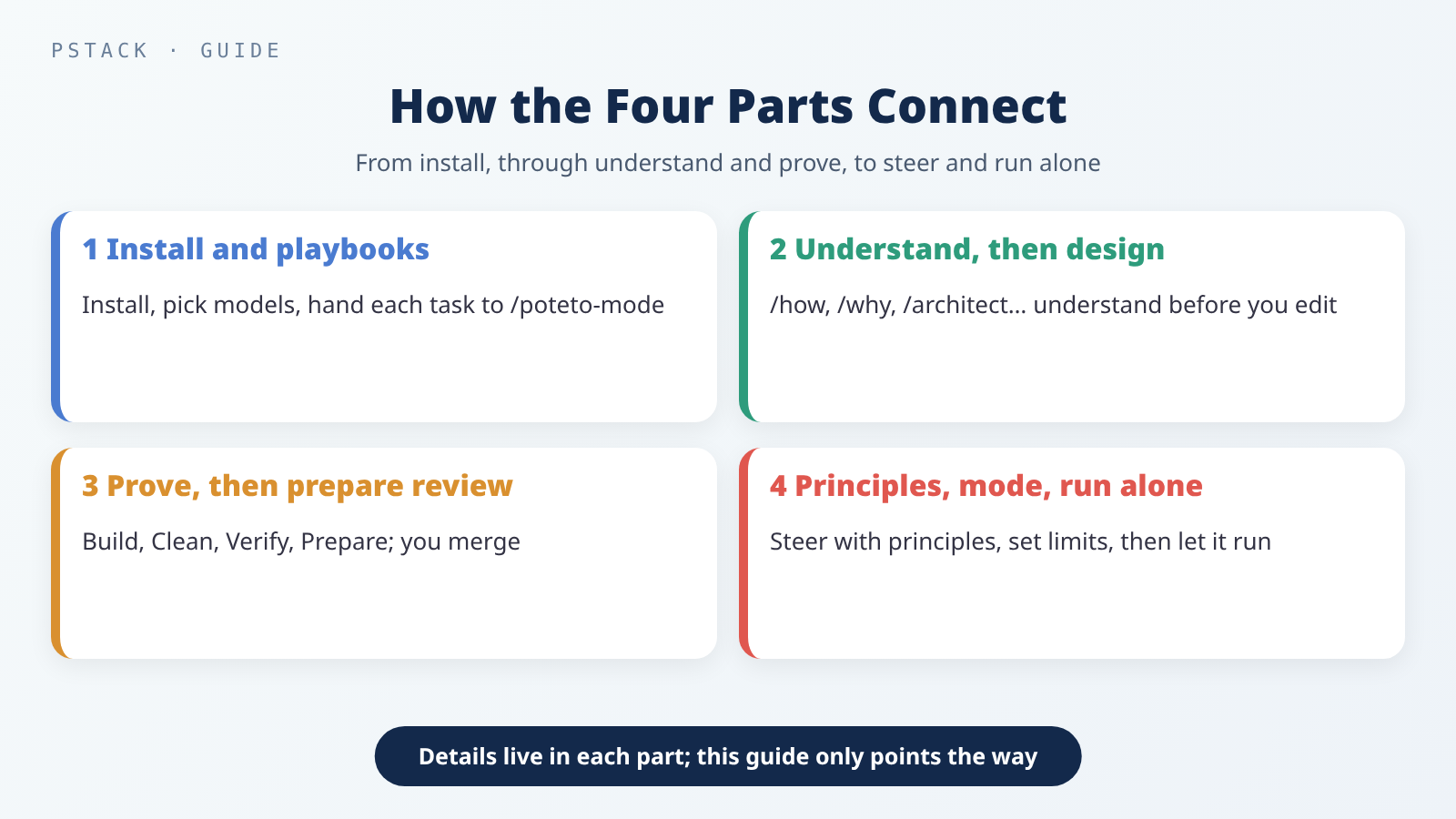 The four parts are ordered by workflow; each covers one stretch, and the details live in that post.
Here’s the main thread: install, pick your models, then hand each task to /poteto-mode (Part 1). Before changing code, use tools like /how, /why, and /architect to understand it first, then compare designs (Part 2). Next, work through Build, Clean, Verify, and Prepare for Review to get the job done, with the merge still your call (Part 3). Day to day, steer with principle names and turn your habits into your own mode; when you need to, write the finish condition and limits, let it run on its own, and audit the decision log the next morning (Part 4).
What Each Part Covers
Part 1: Install, Pick Models, Start With /poteto-mode
Using it for the first time, where do you begin? This part covers two ways to install, how to check and pin a version, how to pick models with /setup-pstack, and how to write a task for /poteto-mode. By the end, you’ll see that you can get going without memorizing every skill name; when you’re stuck, just ask /poteto-help first.
→ Part 1: Install, Pick Models, Start With /poteto-mode
Part 2: Understand the Code, Then Design, Before You Change It
When you’re facing unfamiliar code, how do you get the AI to understand it before it starts editing? This part covers /how, /why, /architect, /interrogate, and /arena, including when to use each, how to prompt it, what you get back, and where to go next. Most small changes don’t need them; when you do need them, the order is understand first, compare designs, and only then change the code.
→ Part 2: Understand the Code, Then Design, Before You Change It
Part 3: After the Code Is Written, Prove It Works Before Merging
Once the code is written, what counts as proof that it actually works? This part splits the flow into four stages, Build, Clean, Verify, and Prepare for Review, and covers playbooks, /tdd, verification skills, opening a PR, and babysit. Also, opening a PR doesn’t start babysit on its own, and whether to merge is always your call.
→ Part 3: After the Code Is Written, Prove It Works Before Merging
Part 4: Steer With Principles, Build Your Own Mode, and Let It Run Unattended
You don’t have to write a long paragraph every time you want to change how the AI works. This part shows how to steer the AI mid-conversation with principle names and how to build your own way of working with /automate-me, /reflect, and /correct. It also covers what to set up before you let it run unattended (the six-part prompt, permissions, and spending caps) and how to audit the decision log the next morning with /show-me-your-work.
→ Part 4: Steer With Principles, Build Your Own Mode, and Let It Run Unattended
Which Part to Start With
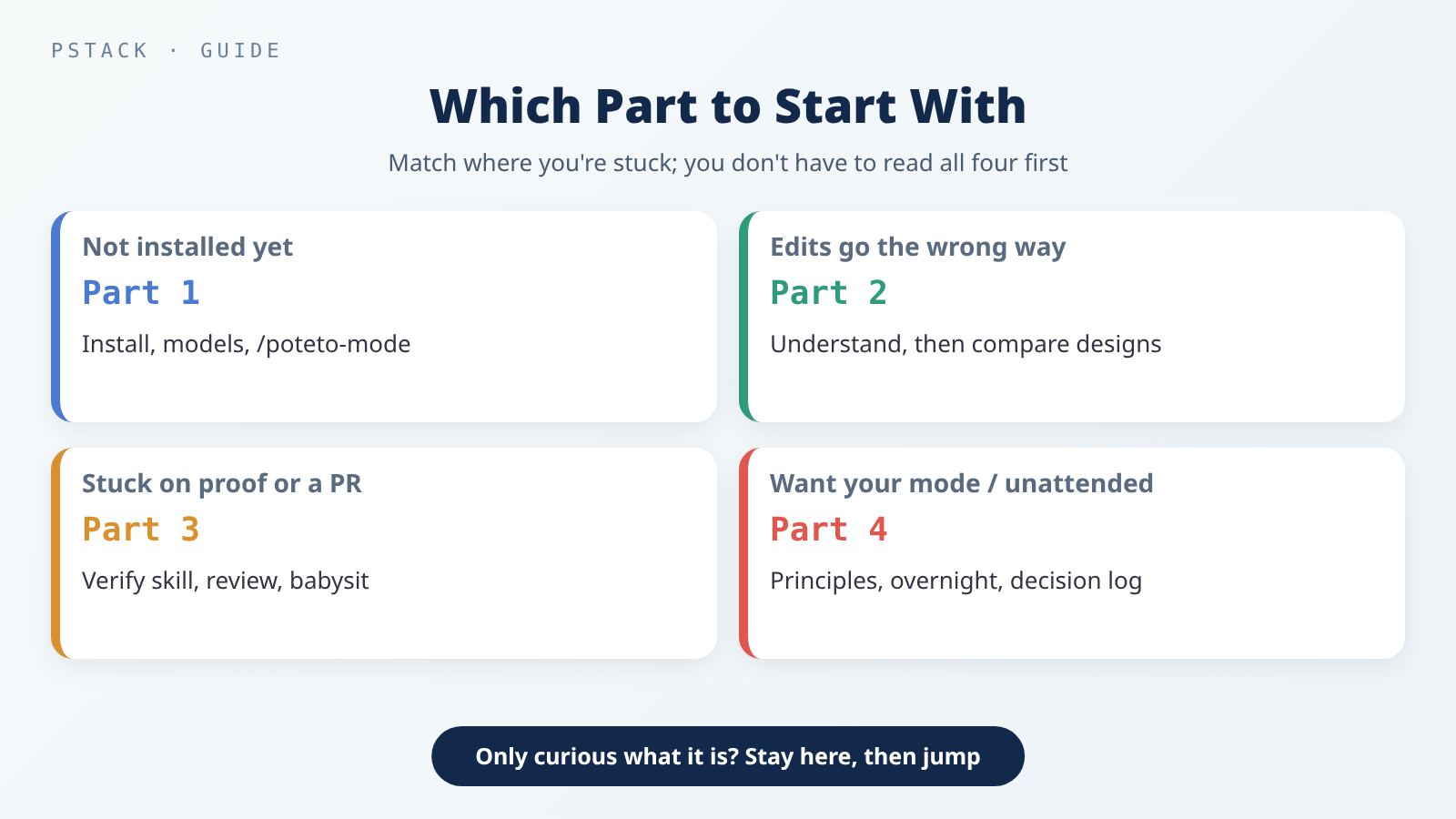 Figure out which step you’re stuck on, then open the matching part. You don’t have to read all four in order before you start.
| Your situation | Start here |
|---|---|
| Not installed yet, or unsure how to invoke commands | Part 1 |
You can use /poteto-mode, but your changes often head the wrong way from the start | Part 2 |
| The feature is written, but you’re stuck on proving it works or opening a PR | Part 3 |
| You’re comfortable with everyday use and want to steer with principles, build your own mode, or run unattended | Part 4 |
| You just want to know what this set of skills is | Finish this guide first, then jump ahead using the table above |
Version Notes
Each post in the series pins a different version, so go by the version box at the top of the post you’re reading:
| Part | pstack | Commit |
|---|---|---|
| Part 1 | 0.15.29 | 88d4751 |
| Part 2 | 0.15.30 | eb4db2b |
| Parts 3 and 4, and this guide | 0.15.36 | c742dd6 |
Version: this guide is based on pstack
0.15.36, which is commitc742dd6incursor/plugins(2026-10-28 07:12, Taipei time). When I checked on 2026-11-05, the latest commit oncursor/pluginsmain wasbb68f23(2026-11-04 15:20, Taipei time), the pstack folder hadn’t changed sincec742dd6, and the latest Claude Code was 2.1.318. The counts and behavior may change in later versions.
If you want the same version as this guide, clone the repo, check out c742dd6, and then add it as a marketplace. For the step-by-step details and the risks of not pinning a version, see Part 1 and Third-Party Skills and MCP Servers: The New Attack Surface in Your Coding Agent.
Conclusion
pstack is a set of skills in Cursor’s official plugin repo; the version this guide pins has 58 skills, 24 principles, and 23 playbooks. Run /setup-pstack once, remember /poteto-mode for everyday work, and ask /poteto-help when you’re stuck. In order, the four parts cover installing and picking a playbook, understanding before designing, proving it works before review, and steering with principles so it can run on its own within limits. You don’t have to read them in order, though; find the step you’re stuck on and start there.
Further Reading
- Official pstack (the commit this guide pins): the README, the guide, and each skill.
- Guide directory: from install and overnight runs to principles and making it yours.
- Part 1 · Part 2 · Part 3 · Part 4
- mattpocock/skills Series Guide and Part 1: a series about a different set of skills.
- Write Your Own Agent Skill: From SKILL.md to Testing and Upkeep: where skills live and how to write
SKILL.md. - Third-Party Skills and MCP Servers: The New Attack Surface in Your Coding Agent: permissions, sandboxes, and pinning versions.