mattpocock/skills Series (4): Before AI Starts Coding, Decide Which Signal to Trust
Once the tickets are ready, the AI writes both the code and the tests. This post explains what implement, tdd, diagnosing-bugs, and prototype each rely on to tell whether the work is right, and walks through a real red-to-green test cycle using a per-seat billing example.
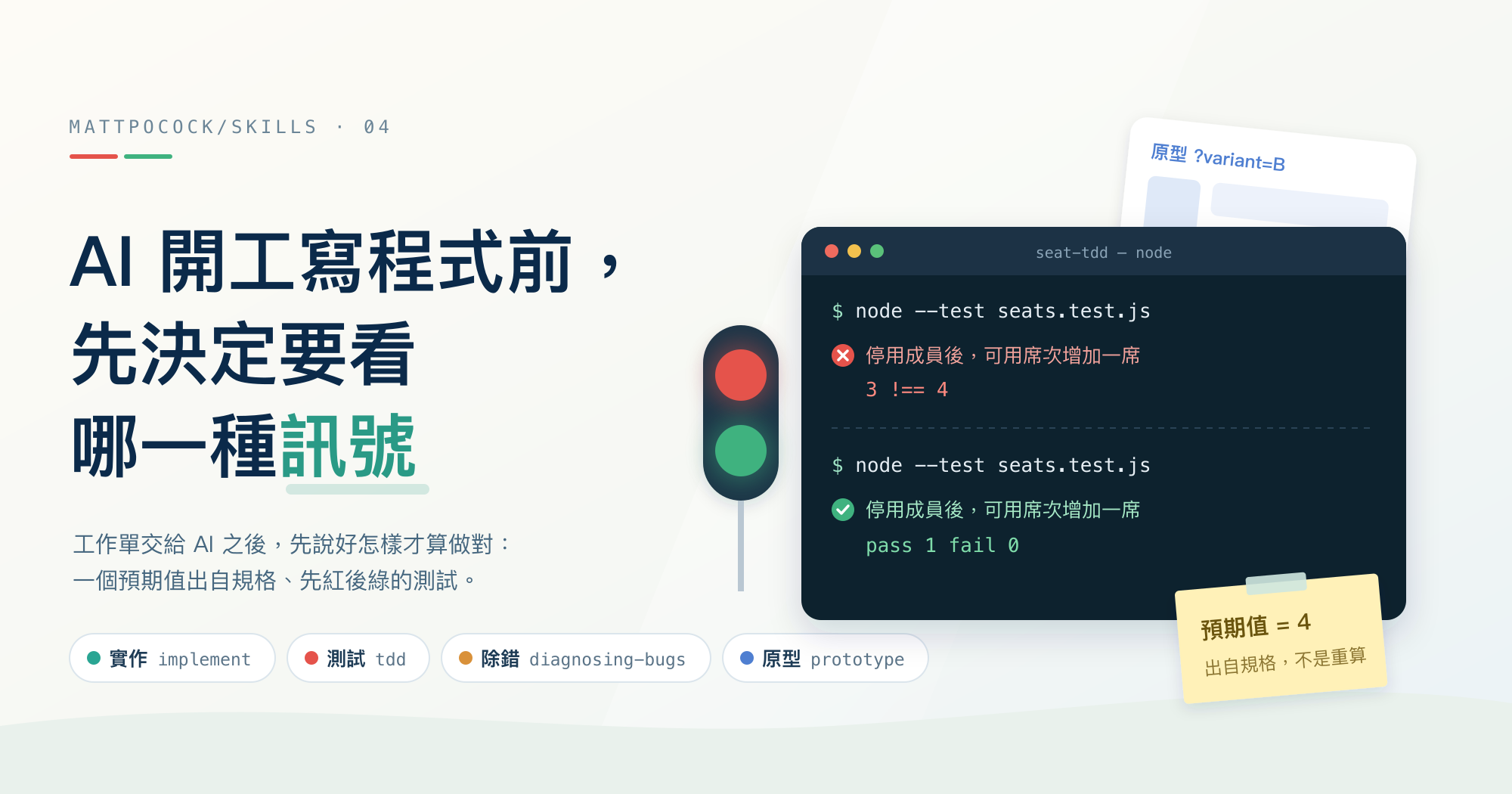
In the previous post, I used to-tickets to split per-seat billing into three tickets, and each one was labeled ready-for-agent, meaning it had all the information needed to hand off to an AI. Now it’s time to open a fresh conversation and have the AI implement one of them: “Deactivate a member and release the seat.” It will change the code on its own, write the tests on its own, and finally report back that “all tests pass.”
But the AI wrote those tests too. They might just be vouching for the code it wrote, without ever checking against the requirements. When the AI writes both the code and the tests, what should you look at to know it actually got things right?
mattpocock/skills hands this stage to four skills: implement, tdd, diagnosing-bugs, and prototype. Each one watches a different signal.
mattpocock/skills Series Part 4 This post is based on version
1.2.3. The skill invocations in the per-seat billing example are inferred from the original instructions; the red and green test outputs shown in the post are real execution results.
A Few Terms First
The following terms come up repeatedly:
| Term used here | Original term | Meaning |
|---|---|---|
| Red, green | red, green | A failing test shows red, a passing one shows green. You first write a test that fails, then write just enough code to make it pass; that back-and-forth is one cycle |
| Test seam | seam | A public entry point for observing the program’s behavior from the outside, such as an exported function. Tests only go in through here and never touch internal details |
| Feedback loop | feedback loop | A command you can run repeatedly that immediately tells you “right” or “wrong,” such as a test run or a script |
| Prototype | prototype | Code written only to answer a design question, and never shipped to production as-is |
Each of the Four Skills Watches One Kind of Feedback Signal
All four skills live under the repo’s skills/engineering/ directory, and the package is licensed under MIT. They sit at different points on the ask-matt roadmap.
implement is the final stage of the main flow. The ask-matt main flow states that it works with tdd on each ticket, then runs code-review once done. code-review reviews the changes made in this round, and I’ll cover it in Part 5. diagnosing-bugs is a separate entry point, dedicated to “something is broken”. prototype is a side branch during requirements discussion, taken only when a design question can’t be settled through conversation alone.
| skill | When it comes in | How it tells whether the work is right |
|---|---|---|
implement | The spec or tickets are ready | Type checking, tests, and a final code-review |
tdd | You want to write the test first, then the code | A test that goes red then green, at a seam agreed on in advance |
diagnosing-bugs | Something is broken, throwing errors, or slow, and the cause isn’t obvious at first glance | A command that has already gone red for this bug |
prototype | A design question can’t be judged on paper | How a person reacts after actually clicking through or looking at it |
implement Hands the Ticket Over to Tests and Review
implement is the shortest of the four skills. Not counting the front matter at the top of the file, the entire instruction is just five lines:
1
2
3
4
5
6
7
8
9
Implement the work described by the user in the spec or tickets.

Use /tdd where possible, at pre-agreed seams.

Run typechecking regularly, single test files regularly, and the full test suite once at the end.

Once done, use /code-review to review the work.

Commit your work to the current branch.
Line by line, the AI does these five things:
- Reads the spec or tickets you point it to, and implements what they describe.
- Uses
tddwherever it can, and only writes tests at seams agreed on in advance. - Runs type checking and single test files frequently along the way, and runs the full test suite only once at the end.
- Calls
code-reviewwhen done to review the changes. - Commits the result to the current branch.
Note point 3: the full test suite runs only once at the end, so test files this ticket doesn’t touch won’t run until then. If this change accidentally breaks something elsewhere, you won’t find out until that point either.
implement never starts on its own. Its front matter sets disable-model-invocation: true, and agents/openai.yaml also sets allow_implicit_invocation: false. The AI won’t run it just because the conversation drifts toward “let’s start coding”; you have to invoke it explicitly.
When a feature takes several conversations to finish, ask-matt recommends running implement once per ticket and clearing the conversation between tickets. Since each ticket already spells out the information it needs, there’s no reason to keep the previous ticket’s conversation around.
tdd Agrees on Where to Test First, Then Works One Small Slice at a Time
The second line of implement hands testing over to tdd. tdd deals with “where to test” first, and only then with “how to test.”
Its rules require the AI to list the seams it plans to test and ask you to confirm them before writing any test at all. No test gets written at a seam that hasn’t been confirmed. The stated reasoning is that you can’t test everything; agreeing on seams first keeps the tests focused on the most important flows and the most complex logic.
When the AI starts exploring the code, it reads CONTEXT.md first if the project has one, so test names reuse the project’s shared vocabulary. That glossary is the one left behind by grill-with-docs in Part 2.
Only after the seams are confirmed does the red-green cycle begin. The cycle rules come down to three points:
- Red before green. First write a test that fails, then write only enough code to make it pass, without anticipating tests that haven’t been written yet.
- One small slice at a time. Each cycle handles just one seam, one test, and one minimal implementation.
- Refactoring isn’t part of the cycle. Refactoring means tidying up how the code is written without changing its behavior, and that’s left for the
code-reviewstage.
tdd also calls out three anti-patterns:
| Anti-pattern | What it looks like | What goes wrong |
|---|---|---|
| Coupling to implementation details | Mocking your own internal modules, testing private methods, or bypassing the interface to query the database directly | The tests break even though you only tidied the code and its behavior didn’t change |
| Tautology | Recomputing the expected value with exactly the same algorithm as the code | The test passes no matter what and never disagrees with the code |
| Horizontal slicing | Writing all the tests first, then writing all the implementation at once | You end up testing imagined behavior, and the test structure is locked in before any implementation exists |
The fix for the third one is vertical slicing: one test paired with one implementation, then on to the next cycle, adjusting each cycle based on what you learned in the last. The tracer bullet idea that to-tickets used to split tickets in the previous post shows up again here, just scaled down to a single test.
There are also limits on what gets mocked. mocking.md only allows test doubles at system boundaries. A test double is a fake object standing in for something the code normally depends on; a system boundary is where the program touches the outside world, such as external services for payments or email, time, and randomness. Your own modules and internal components don’t get doubles.
diagnosing-bugs Builds a Command That Goes Red First
tdd deals with “code that hasn’t been written yet,” while diagnosing-bugs deals with “code that’s already broken.” Its first phase says outright “This is the skill,” meaning this step is what the whole skill is about. Until it has built a command that goes red for this bug, the AI is not allowed to start guessing at causes.
The skill lists ten approaches, to be tried roughly in order. First choice is a failing test, followed by a script that sends requests to the dev server, a CLI command with fixed input, and a script that drives a browser. The last resort is scripts/hitl-loop.template.sh, used only when a human really has to click through the UI. The template provides two functions: step shows one action and waits for you to press Enter, and capture records the observation you type in. At the end, it prints everything as KEY=VALUE and hands it back to the AI.
The first phase has four completion criteria. The AI must show a command it has actually run and paste its output, and the command must:
- Reach the code path that fails, and check for the exact symptom the user reported.
- Produce the same result every time it runs.
- Finish within a few seconds.
- Be runnable by the AI on its own, without a person standing by to operate it.
For bugs that only show up occasionally, reproducing them every time isn’t required; the goal is to push the reproduction rate up. The skill gives an example: a bug that reproduces 50% of the time can still be chased down, while one at 1% can’t. When a loop truly can’t be built, the AI has to stop, list what it tried, and ask you for an environment that reproduces the problem, logs with secrets removed, or permission to temporarily add instrumentation in production.
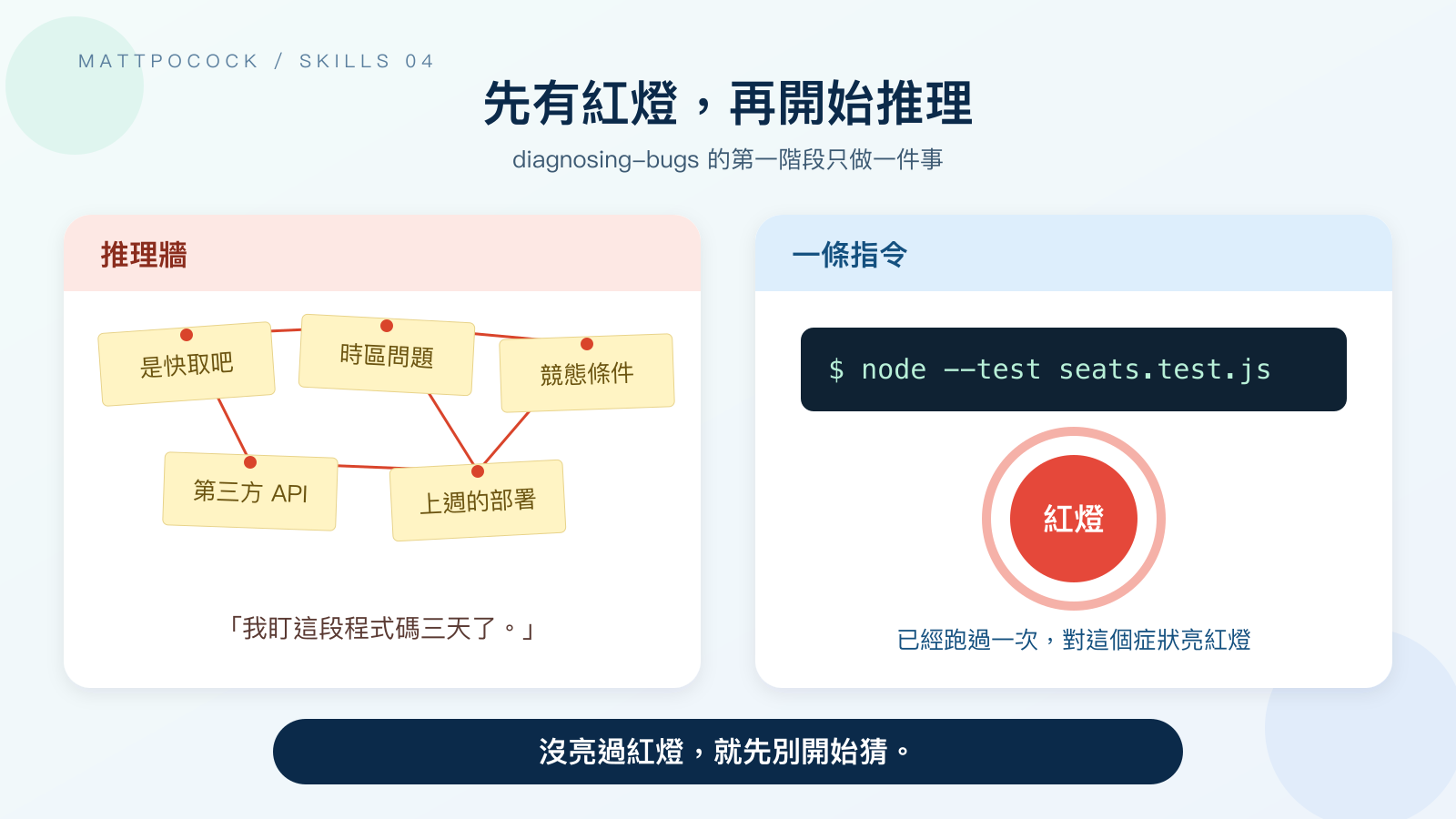 Without a command that goes red, no amount of guessing can confirm which theory is right.
Once there’s a loop, the remaining five phases run in order:
- Reproduce and minimize. Confirm that what’s going red is the symptom the user reported, then remove one input or step at a time until every remaining one is essential.
- Form hypotheses. List 3 to 5 prioritized hypotheses at once, each stating what it predicts will happen, and show them to you first. If you’re not around, the AI continues with its own ranking.
- Add instrumentation. Instrumentation means debug output in the code, such as printing intermediate values. Each probe maps to one hypothesis, and only one variable changes at a time. All debug output gets a prefix like
[DEBUG-a4f2], so a single search at the end finds all of it for removal. - Fix and add a regression test. A regression test confirms the same bug won’t come back. Write a failing regression test first, then fix. This assumes a proper test seam can be found; if it can’t, that tells you something too: the current code structure offers no way for a test to keep this bug from coming back.
- Clean up. Rerun the original loop, confirm the regression test passes, delete output starting with
[DEBUG-, and write the hypothesis that was finally confirmed into the commit or PR message.
The hypotheses in step 2 should be phrased as “If the cause is X, then changing Y will make the bug disappear.” For the seat example, that could be: “If the cause is that deactivation doesn’t remove the member from the assigned list, then adding that removal to the deactivation flow will make available seats go up correctly.” Any hypothesis that can’t produce a prediction should be dropped or rewritten.
When step 4 can’t find a test seam, ask-matt hands the follow-up to improve-codebase-architecture, which I’ll cover in the next post.
prototype Uses Throwaway Code to Answer One Design Question
The first three skills can all judge right and wrong with a command. Some design questions, though, only reveal what’s off once a person has tried them by hand. For example: a deactivated member needs to be reactivated, but the workspace happens to have no available seats left. What should happen then?
prototype states right at the top that a prototype is throwaway code that answers a question, and the question you need answered decides what shape the prototype takes. It splits into two paths:
| Question to answer | Output | How to use it |
|---|---|---|
| Is this logic or state model right? | A standalone HTML file you can open with a double-click | Press buttons to advance the state, and see the full state after each step |
| What should this screen look like? | Several variants on the same URL path, switched with ?variant= | Flip between variants with a floating bar at the bottom of the screen |
Logic prototypes are meant for people who don’t write code. LOGIC.md requires buttons and state to be labeled in domain language, with the screen split into three areas: the current state, buttons you can press freely, and guided scenarios split across several tabs. Every scenario starts from the same initial state. The set of scenarios should cover the happy path, tricky edge cases, and one action that ought to be rejected. The logic that answers the question should be written as a standalone module that doesn’t touch web page elements, so once the question is resolved it can move straight into the production code.
UI prototypes default to 3 variants, with a maximum of 5. The variants must differ structurally, such as in layout, information hierarchy, or primary interaction. UI.md says three slightly tweaked card grids aren’t a prototype, just wallpaper: each has its own pattern, but none of them answers a design question. It also recommends putting the variants directly into the existing page, because only real data and the surrounding navigation will expose design problems.
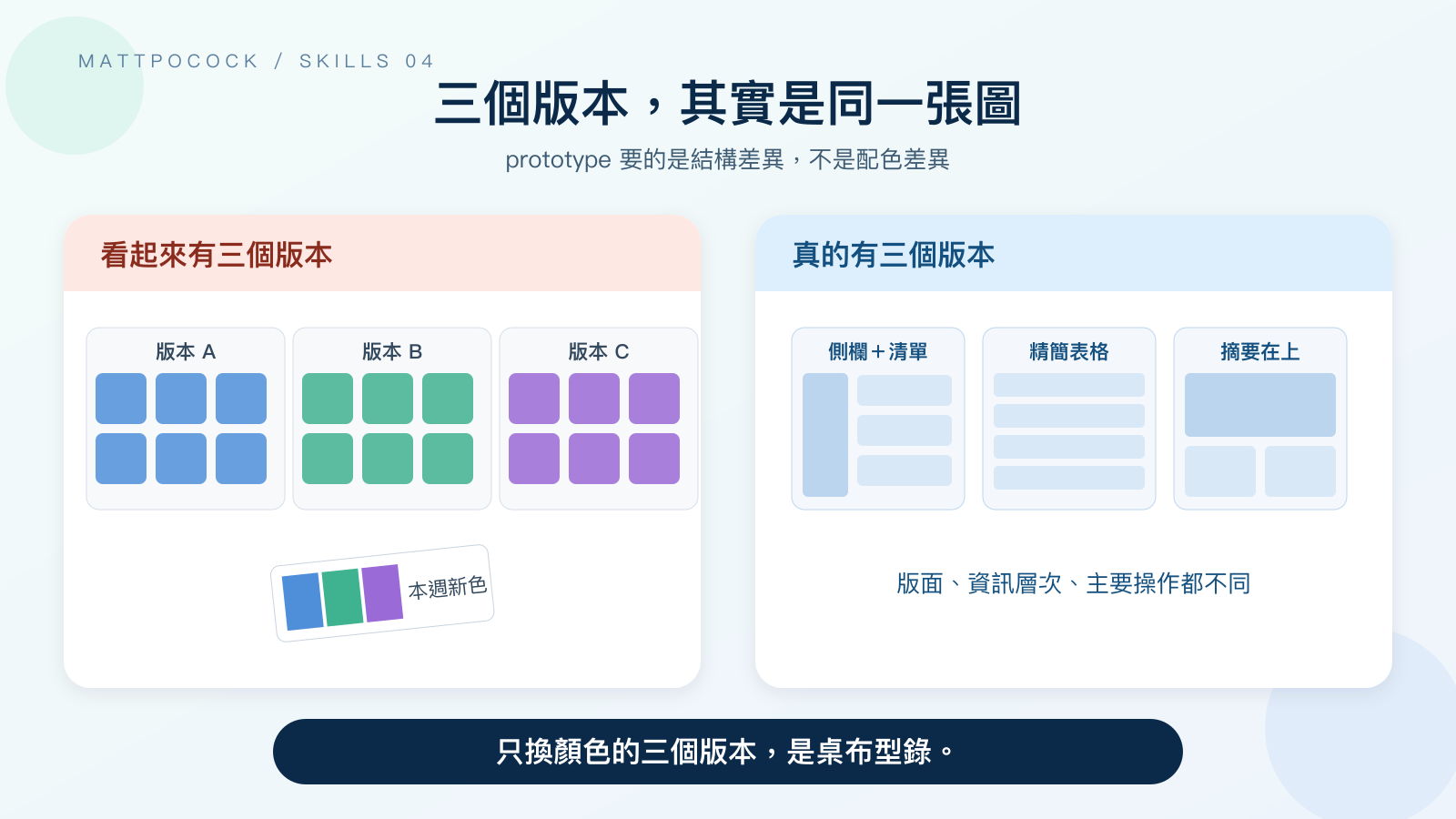 Variants need to differ in layout and interaction; changing only the colors reveals no design differences.
Both paths share six rules. A prototype is labeled as throwaway from day one, launches with a single command or double-click, doesn’t persist data by default, and skips tests and error handling. After every action, the full state must be displayed.
The last rule covers how to wrap up a prototype. Validated decisions go into the production code, while the prototype itself is committed to a throwaway branch off the mainline, and a note pointing to that branch is left on the implementation ticket. ask-matt names this branch prototype/<name>. Only validated conclusions stay on the mainline.
Tests Written by the AI Only Count Because of Two Rules
I asked at the start: if the AI writes both the code and the tests, won’t the tests just vouch for the code? tdd relies on two rules to prevent that.
The first rule is that you confirm where tests go. As mentioned above, the seams the AI lists need your approval before tests can be written there. You can use this step to designate behaviors spelled out in the requirements, like “available seats go up after a member is deactivated,” as things that must be verified.
The second rule is that expected values need an independent source. When tdd explains the tautology anti-pattern, it requires expected values to come from something outside the code, such as known-correct values, hand-worked examples, or the spec. tests.md contrasts the two approaches using the same summing function:
1
2
3
4
5
6
7
8
9
10
11
// BAD: Expected value is recomputed the way the code computes it
test("calculateTotal sums line items", () => {
  const items = [{ price: 10 }, { price: 5 }];
  const expected = items.reduce((sum, i) => sum + i.price, 0);
  expect(calculateTotal(items)).toBe(expected);
});

// GOOD: Expected value is an independent, known literal
test("calculateTotal sums line items", () => {
  expect(calculateTotal([{ price: 10 }, { price: 5 }])).toBe(15);
});
The first version recomputes expected with reduce. The test computes the answer exactly the way the code does, so it will always pass. The second version writes 15 directly. That number can be checked against the spec or by hand, so if the code gets the math wrong, the test fails.
That said, both rules are just instructions written in Markdown, with no code enforcing them. The tdd folder contains only SKILL.md, tests.md, mocking.md, and an agents/openai.yaml, with no check scripts at all. If you approve the seams the AI lists without looking closely, the first rule has no effect.
So whether the tests count comes down to two things you have to check yourself: the list of seams you confirmed, and whether each expected value can be traced back to the spec.
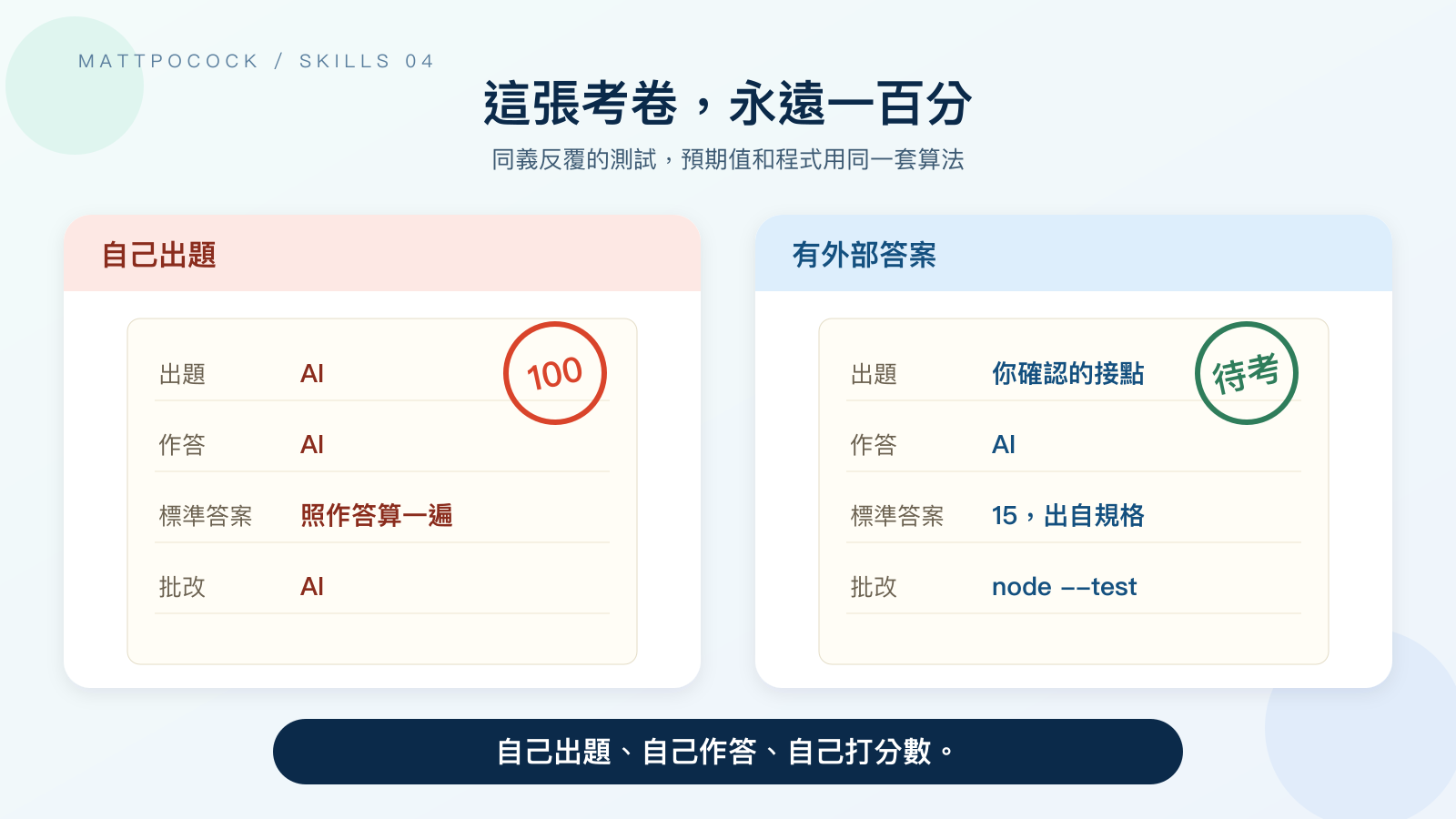 If the expected value is recomputed with the code’s own algorithm, the test will always pass.
Where Your Time Goes
With these four skills, you no longer have to go by gut feeling to decide whether the work is done; you can look at tests or commands that can be rerun. Still, a person has to step in at each of these points:
| Step | Who puts in the effort | What they put in |
|---|---|---|
Invoking implement | You | Invoke it manually once per ticket, clearing the conversation between tickets |
Before tdd writes tests | You | Review each test seam the AI lists, one by one |
Wrapping up implement | The AI and you | Run the full test suite and code-review; you need to read the review results |
diagnosing-bugs phase 1 | The AI, and you when needed | The skill calls for a disproportionate amount of effort here; when a loop can’t be built, you have to provide the environment or logs |
diagnosing-bugs hypotheses | You | Look over the hypothesis ranking and add background you know |
After prototype is delivered | You or a domain expert | Actually click through every scenario or variant, and say what’s wrong |
Wrapping up prototype | The team | Maintain the prototype/<name> branch and leave a note on the ticket pointing to it |
The most time-consuming part is phase 1 of diagnosing-bugs. The skill argues that once the loop is right, the bug is 90% fixed, so that’s where the time goes; without a loop, you don’t move on to the next phase.
Which One to Use When
Pick based on what you have in front of you:
| Your situation | Skill to use | When it doesn’t fit |
|---|---|---|
A spec or tickets labeled ready-for-agent | implement | If there’s no spec or tickets yet, go back to to-spec first, or use tdd on its own |
| No spec; you just want to build one concrete feature test-first | tdd | If you haven’t even settled what the public interface should look like, first discuss the interface using codebase-design vocabulary |
| A feature throws errors, gives wrong results, or is slow, and the cause isn’t obvious at first glance | diagnosing-bugs | When it can’t build a command that goes red, the AI stops and asks you for an environment or logs instead of guessing |
| A state model or screen that can’t be judged through conversation alone | prototype | When the question can be settled in conversation, stay in grill-with-docs and keep asking |
ask-matt also allows using tdd on its own, to test and implement one concrete behavior without needing a full spec first. When tdd is unsure about the shape of the interface itself, it turns to the codebase-design vocabulary instead.
Simulated Scenario: Implementing “Deactivate a Member and Release the Seat”
The skill invocations below were not actually run, because implement modifies the project and commits. The flow is inferred from the original instructions in version 1.2.3. The red and green tests, however, were actually run on Node.js v25.2.1, and the code is a minimal example written for this post, not taken from mattpocock/skills.
Assume the first two tickets, “Show the workspace’s purchased and available seats” and “Assign an available seat to a member,” are already done. You open a new conversation and attach the third ticket:
1
$implement <link to the "Deactivate a member and release the seat" ticket>
After reading the ticket and CONTEXT.md, the AI follows the tdd rules and lists test seams first, for example “the workspace’s exported deactivateMember() and availableSeats().” You need to confirm two things: whether these two functions are entry points that other code actually calls, and whether the acceptance criterion “available seats increase by one” can be observed through them.
Once you approve, the AI writes the first test. The expected value comes from the “testing decisions” field in the spec: after a member is deactivated, available seats should go up by one. With 5 seats purchased and 2 assigned, deactivating one of those members should leave 4 available seats. Save the following as seats.test.js:
1
2
3
4
5
6
7
8
9
10
11
12
13
import { test } from "node:test";
import assert from "node:assert/strict";
import { createWorkspace, assignSeat, deactivateMember, availableSeats } from "./seats.js";

test("deactivating a member frees up one seat", () => {
  const workspace = createWorkspace({ purchasedSeats: 5 });
  assignSeat(workspace, "alice");
  assignSeat(workspace, "bob");

  deactivateMember(workspace, "alice");

  assert.equal(availableSeats(workspace), 4);
});
At this point, seats.js only contains what the first two tickets delivered, and deactivateMember() is still empty:
1
2
3
4
5
6
7
8
9
10
11
12
13
14
15
export function createWorkspace({ purchasedSeats }) {
  return { purchasedSeats, assigned: new Set() };
}

export function assignSeat(workspace, memberId) {
  workspace.assigned.add(memberId);
}

export function deactivateMember(workspace, memberId) {
  // not implemented yet
}

export function availableSeats(workspace) {
  return workspace.purchasedSeats - workspace.assigned.size;
}
Put a package.json containing { "type": "module" } in the same folder, then run the single test file:
1
node --test seats.test.js
The result is red: the actual number of available seats is 3, but 4 was expected:
1
2
3
4
5
6
7
8
9
10
11
12
13
14
15
16
✖ deactivating a member frees up one seat (0.92075ms)
ℹ tests 1
ℹ suites 0
ℹ pass 0
ℹ fail 1
...
✖ failing tests:

test at seats.test.js:5:1
✖ deactivating a member frees up one seat (0.92075ms)
  AssertionError [ERR_ASSERTION]: Expected values to be strictly equal:

  3 !== 4

      at TestContext.<anonymous> (file:///<redacted path>/seat-tdd/seats.test.js:12:10)
...
The red result shows that this test catches the “seat not released after deactivation” problem. Next, write only enough code to make it pass, which means replacing // not implemented yet with a single line:
1
2
3
export function deactivateMember(workspace, memberId) {
  workspace.assigned.delete(memberId);
}
Run the same command again, and the result turns green:
1
2
3
4
5
6
7
8
9
✔ deactivating a member frees up one seat (0.343958ms)
ℹ tests 1
ℹ suites 0
ℹ pass 1
ℹ fail 0
ℹ cancelled 0
ℹ skipped 0
ℹ todo 0
ℹ duration_ms 43.76225
That’s only one cycle. The ticket’s acceptance criteria also include “the billing system receives the new seat count,” so the AI moves on to the next cycle, working through the confirmed list of seams one test per cycle. When everything is done, implement runs the full test suite, calls code-review, and commits to the current branch. What you need to check are the review results, and whether each test’s expected value can be traced back to the spec.
If you later get a report that “available seats didn’t go up after deactivating a member,” the node --test command above is exactly the loop that phase 1 of diagnosing-bugs wants. It has already gone red for this symptom, and judging by the duration_ms above, it finishes in under 50 milliseconds, meeting the “finishes within a few seconds” criterion.
I Think the Quality of implement Depends on the Ticket
This section is my own opinion, not something the source material says directly: how well the ticket is written determines the quality of the implementation.
The implement instructions are only five lines. They don’t say whom to stop and ask when a ticket is vague, and they don’t specify what to do when the acceptance criteria are incomplete. All they do is hand “testing at pre-agreed seams” over to tdd, and most of those seams and expected values were decided much earlier, when to-spec confirmed its checkpoints and to-tickets wrote the acceptance criteria.
So I don’t expect implement to rescue a badly split ticket. If the seams the AI lists don’t line up with the acceptance criteria, or an expected value can’t be found in the spec, I pause the implementation and go back to grill-with-docs or to-spec to fill in what’s missing.
This view only applies to projects that follow this workflow of writing a spec first and then splitting it into tickets. When you use tdd on its own for a small feature, the seams and expected values are settled right there in the conversation, and there’s no pre-written spec or ticket to go back and fix.
Summary
When the AI writes both the code and the tests, judging whether it got things right means looking at what the AI can’t change on its own. For new features, check whether the tests are written at seams you confirmed and whether the expected values come from the spec. For bug fixes, check whether there’s a command that has gone red for this symptom. When the design isn’t settled yet, click through the prototype yourself, or have someone who knows the business do it, before going further.
This post only covers the stage of turning tickets into code. The next post turns to reviewing code structure and this round’s changes, covering codebase-design, improve-codebase-architecture, and code-review.
Back to per-seat billing: the next step is to open a new conversation and run $implement on the first ticket, the one with no prerequisites. When the AI lists test seams, confirm them one by one; once it has written the tests, check that every expected value can be found in the spec.
Further Reading
implement: the full five-line instruction, showing which work it hands off totddandcode-review.tdd: the confirmation rule for test seams, the three anti-patterns, and the constraints on the red-green cycle.tdd/tests.md: checkout and summing examples that contrast good and bad tests.diagnosing-bugs: the ten ways to build a feedback loop, and the completion criteria for each phase.prototype: where the logic and UI prototype paths diverge, and what to keep once a prototype is done.