mattpocock/skills Series (6): Research, Handoffs, and Learning Something New, Each With a Set Routine
Plenty of things besides writing code slow a project down: looking things up, handing work to the next person, setting up accounts only you can access, learning a new topic. This post introduces five skills, research, wizard, handoff, teach, and writing-for-agents, and walks through them with the per-seat billing example.
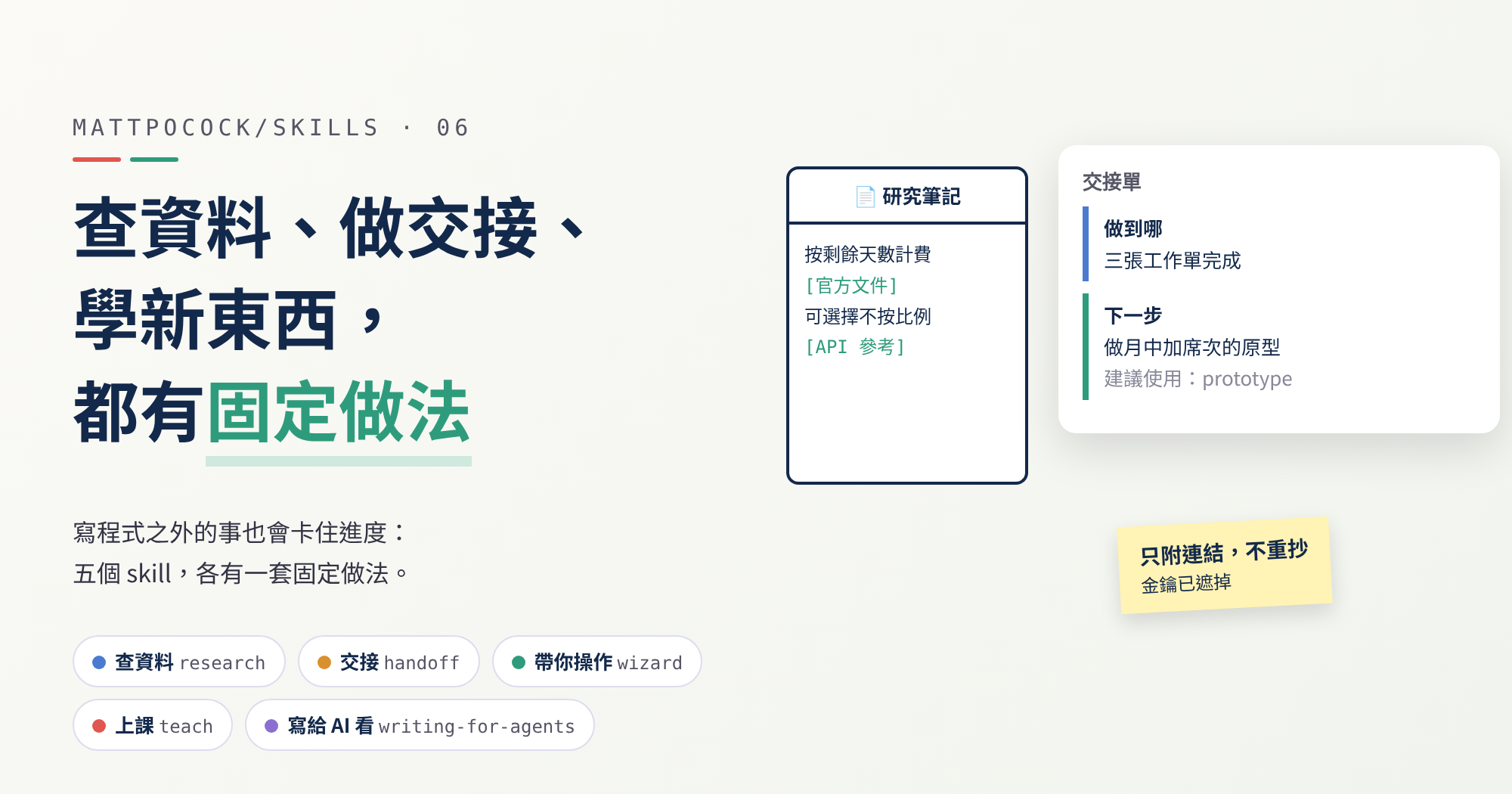
The first five parts were all about getting a feature built: clarifying requirements, writing a spec, splitting tickets, writing code, reviewing and merging. But building per-seat billing for real also brings a different kind of task:
- How does the payment service calculate a prorated charge? Someone has to read the official docs.
- The prototype lives in another folder. How do you carry over what was agreed in this conversation?
- Only you can log into the payment service’s dashboard to get the keys (secret strings that let a program use the service); the AI can’t help there.
- You only half understand “prorated billing” yourself and want to learn it properly.
- The project’s instructions for the AI keep getting longer, yet the AI often doesn’t follow them.
None of these are coding, yet they often hold everything up. mattpocock/skills handles them with five skills: research, handoff, wizard, teach, and writing-for-agents.
mattpocock/skills Series Part 6
- Previous (Part 5): After the Code Is Written, Who Checks the Structure, Reviews the Change, and Resolves Conflicts?
This post is based on version
1.2.3. All five skills already exist in1.2.3and are still there in the latest release,1.3.1. The skill invocations in the per-seat billing example are inferred from the original instructions; the syntax check on the wizard script is a real execution result.
After
1.3.1, the main branch on GitHub picked up small, not-yet-released fixes to three of these skills: thewizardscript template fixed a few compatibility issues,handoffspells out how to find the temporary folder, andteachasks that a quiz’s correct answer not always sit in the same position. None of this changes what this post describes.
Three Words First
| Term | In one sentence |
|---|---|
| primary source | Where something actually comes from, such as an official manual, source code, or a spec, rather than someone’s write-up after reading it |
| background helper | A separate AI working on the side while you keep talking to the original one about something else |
| conversation memory | Everything the AI remembers within this one conversation. Start a new conversation and it’s wiped |
What Each Skill Does
| skill | What it does | When to use it | Can the AI start it on its own? |
|---|---|---|---|
research | Sends a background helper to read primary sources and write a note with citations | When you need facts from official docs, API rules (how programs talk to each other), and the like | Yes |
handoff | Turns the current conversation into a handoff sheet | When switching folders, switching tools, or passing work to a colleague | No, you start it yourself |
wizard | Writes a small program that walks you through steps one by one | When you hit a step only you can do, such as logging into a dashboard to get a key | Yes |
teach | Teaches you a new topic over several sessions, inside one folder | When you want to really learn something | No, you start it yourself |
writing-for-agents | A reference manual for writing documents the AI reads | When writing a skill or the project instructions file AGENTS.md | Yes |
Both handoff and teach are set so the AI can’t start them on its own. Handing off and taking a lesson are things you decide to begin; the AI shouldn’t spring them on you mid-chat.
On the ask-matt roadmap, handoff sits under “phase boundaries”, while the other four are in a standalone section outside every flow, used only when needed.
research: Send a Helper to Read the Original
research is short; the whole thing is three points:
- Start a background helper to do the reading, so you can keep working on other things.
- Use only primary sources, such as official docs, source code, and specs. Every claim has to be traced back to where it really comes from, not to someone’s retelling.
- Write the results as a Markdown note (a plain-text file formatted with simple symbols), with a source for every claim, saved where the project usually keeps notes; if there’s no such place, pick a sensible one and say where.
Why insist on primary sources? Think of asking for directions. A passer-by saying “turn left up ahead, I think” is far less reliable than opening the map yourself. Tutorials online are often written for one particular version and go stale when the version changes; official docs and source code are the rules as they stand now.
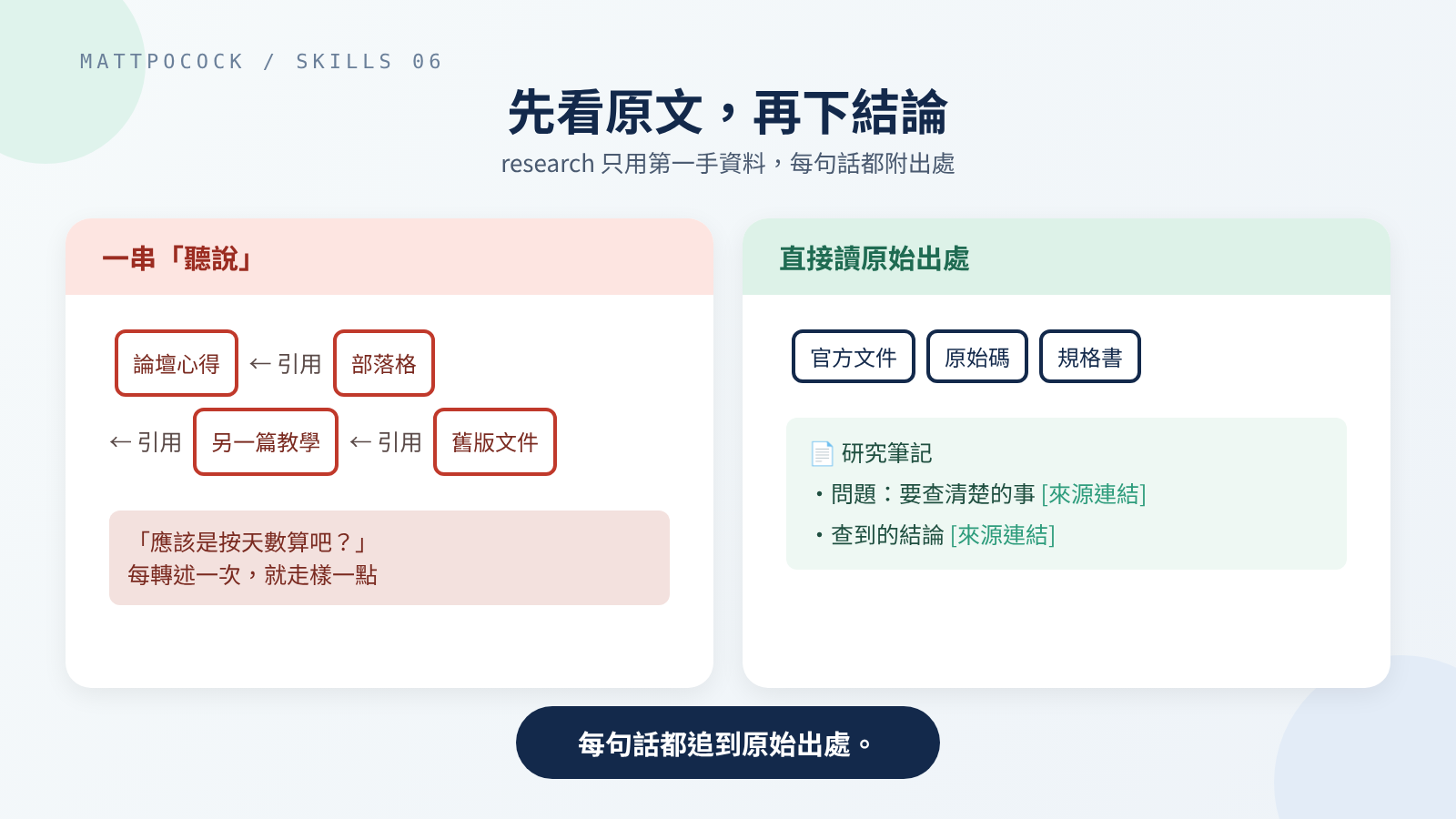 Second-hand articles drift with every retelling; primary sources are the current rules.
The note isn’t the end of the road. As ask-matt explains, research results go into grill-with-docs in the main flow, as material for discussing requirements. Research is there to help you think, not to decide for you.
handoff: Write a Handoff Sheet for Whoever Comes Next
handoff covers the moment someone else takes over. That “someone” can be another AI conversation or a colleague.
Think of a hospital shift change. The nurse going off shift doesn’t retell the whole day; they hand over a sheet: how the patient is doing, what still needs doing, where to find the records. handoff writes that sheet.
It has just five rules:
- Summarize the current conversation into a handoff document, saved in the computer’s temporary folder, not in the project.
- Include a “suggested skills” section telling the next person which skills to call first.
- Don’t copy what’s already written elsewhere, such as specs, tickets, or commits (a commit saves a batch of changes as one version, with a note); just give the path or link.
- Black out anything sensitive, such as passwords, keys, and personal data.
- If you said what the next session is for when calling it, tailor the sheet to that.
Rule 3 matters most. A handoff sheet has to be short for anyone to read it; copying the spec in not only makes it longer, the two copies can later drift apart.
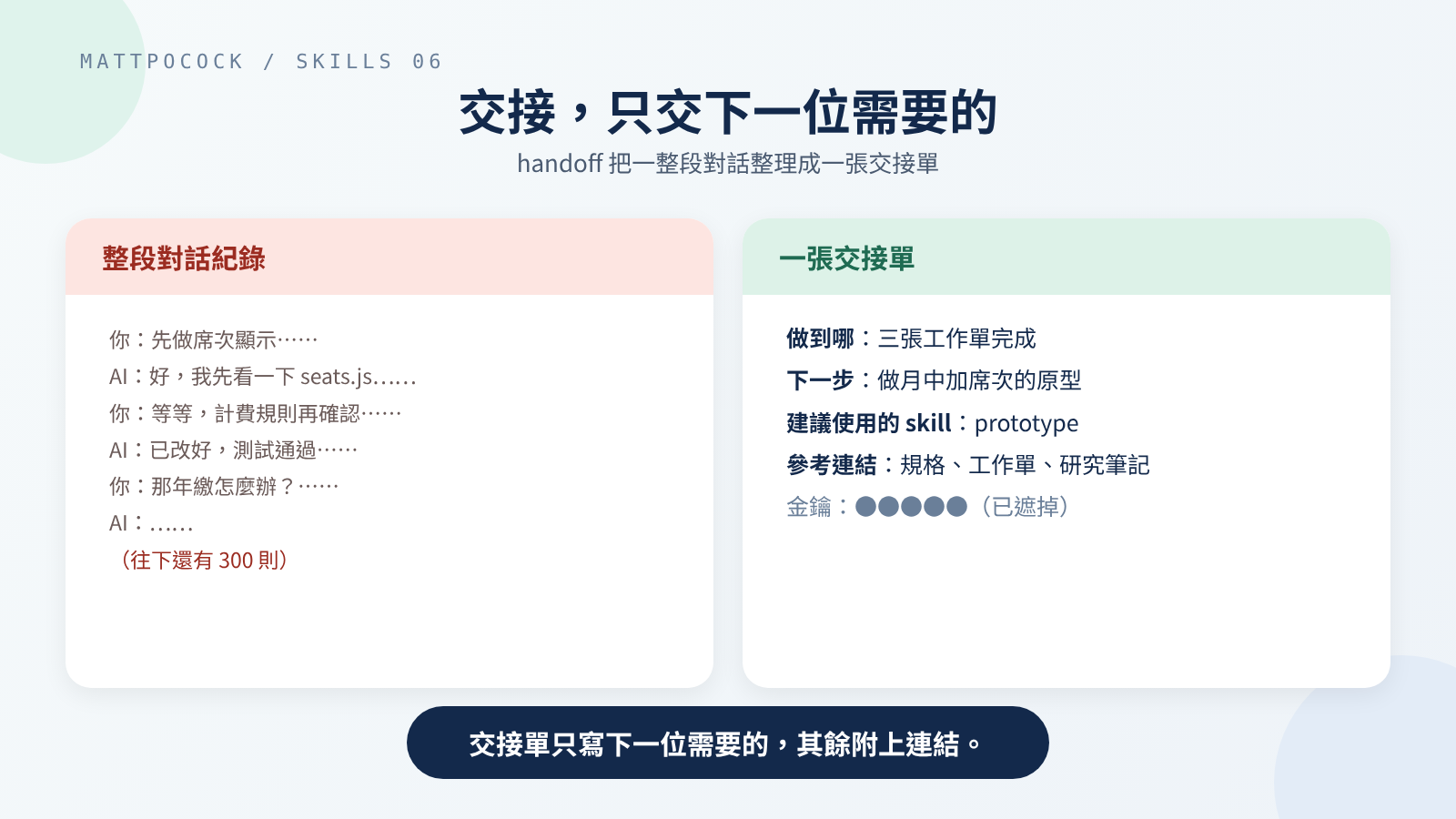 The next person doesn’t need the whole conversation, just a sheet that states where things are and what’s next.
When You Actually Need a Handoff Sheet
ask-matt keeps its use very narrow: only when switching to a different AI tool, moving to a different folder, handing to a colleague, or splitting off a side task midway.
Other times there are easier options, such as simply continuing in the same conversation, or letting the tool automatically condense the conversation into a summary and carry on. prototype from part 4 is the classic case: the prototype lives in a separate folder, so you hand off once on the way there and once on the way back, bringing what the prototype taught you back into the original discussion.
wizard: For Steps Only You Can Do, Let a Program Walk You Through
Some things the AI genuinely can’t do: log into the payment service’s dashboard and copy a key, click a few buttons on a cloud provider’s website, store a password in GitHub’s encrypted settings. Explaining these steps to the AI again every time gets old.
wizard’s answer is to write a small interactive program that walks you through, step by step, like furniture assembly instructions: it opens the web page for you, tells you what to click and copy, waits for you to paste, saves the value where it belongs automatically, has you confirm at every step, and shows how many steps are left.
The program is a bash script, a list of commands run one after another in the terminal (the text window where you type commands). The look and the interaction are already written in the template template.sh, including progress display, hidden password entry, and re-running without corrupting the settings file. The AI only plans the steps and fills in each one; the shared code in the template’s top half must never be edited.
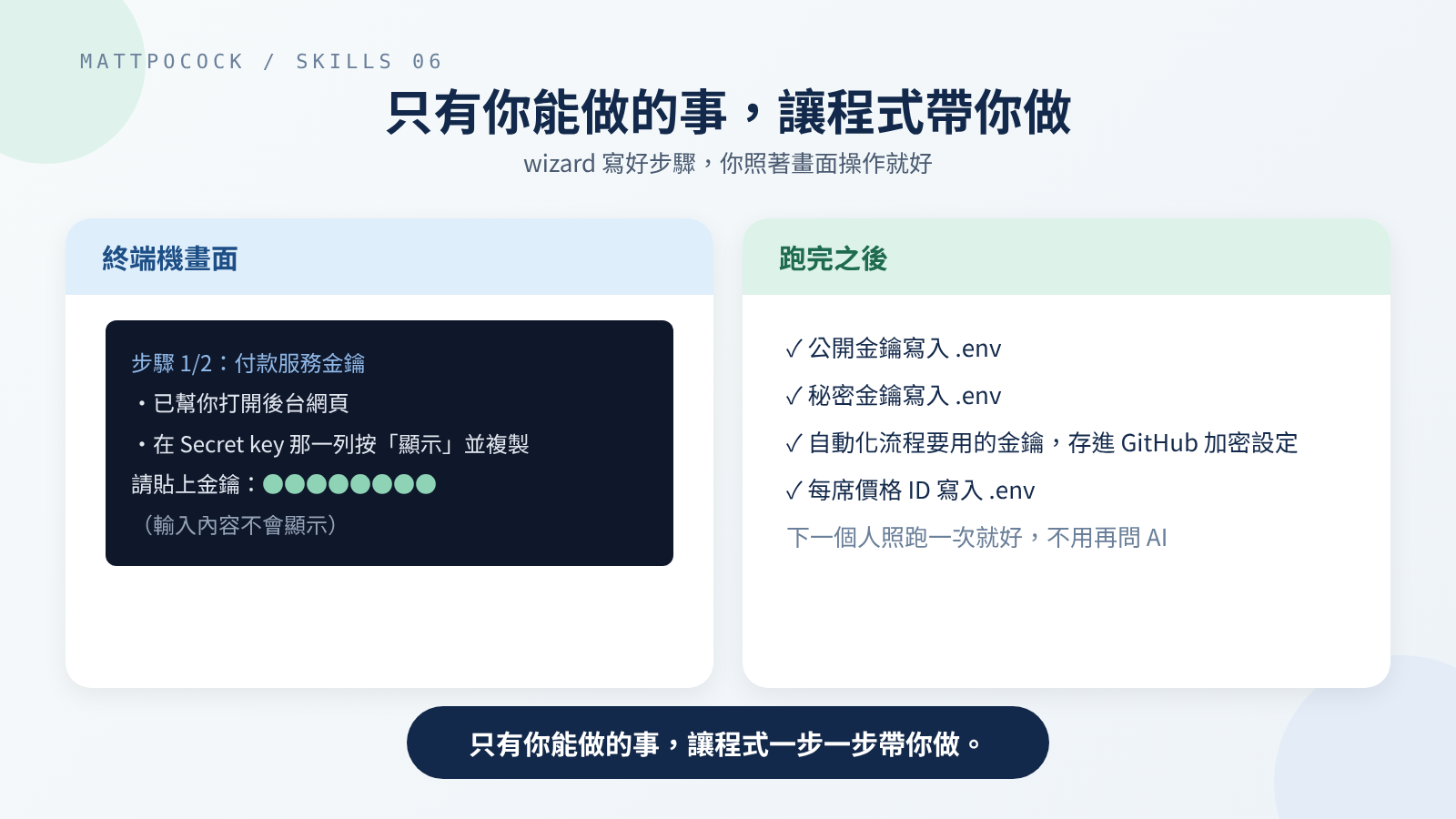 The AI writes the steps; you just follow the screen and paste the values.
It works in four steps:
- List every manual step first. The AI reads the project’s settings files, such as
.env(the file holding keys and other settings) and the automation settings, works out which values are needed, and shows you the list of steps to confirm. For every value it must know where it comes from, where it goes, and whether it’s secret. - Spell out the route for each step. For example, “Dashboard → Developers → API keys → Reveal test key → copy.” When the AI isn’t sure what the screen currently looks like, it must ask you or check the docs, and never make up steps that may not exist.
- Write the script. Each step does one thing; secrets use hidden entry; anything that can’t be undone asks you first.
- Check it and hand it over. The AI runs a syntax check but doesn’t run it end to end itself, since the script opens a browser and waits for a person to type. Instead it traces through line by line to confirm every value is collected and saved in the right place.
The script is meant for one use by default and deleted afterward. Only if you want future people to be able to run it too does it go into the project, with a note in the README, so the next person runs the script instead of asking the AI again.
teach: Treat the AI as a Tutor, Over Several Sessions
teach is different from the other skills: it doesn’t do the work for you, it teaches you how to do something, and by default over several lessons.
So it treats the current folder as your learning binder and keeps your progress in a few kinds of files:
| File | Like a… | What goes in |
|---|---|---|
MISSION.md | Goal card | Why you want to learn this, and what you’ll be able to do afterward |
RESOURCES.md | Reading list | Trustworthy sources, plus communities where you can ask people |
lessons/ | Handouts, one per lesson | One web page per lesson, each teaching one small thing |
reference/ | Cheat sheets | Key points distilled from the lessons, for looking things up later |
learning-records/ | Learning journal | What you’ve already learned, used to decide what to teach next |
First, It Asks Why You Want to Learn
The first job is working out why you’re learning this. Without a clear purpose, lessons turn vague, and the AI has no way to judge what to teach next. The goal should be concrete: “Run a half marathon by October” beats “get fitter.”
Each Lesson Teaches a Little, and You Do Something
Every lesson should be short, because people can only hold a little in mind at once. Each lesson should give you one visible small win, and the difficulty should be just a bit above where you are now: too easy and you learn nothing, too hard and you give up.
It also cares a lot about actually remembering. The skill splits memory into two kinds: being able to recall something right now, and still remembering it a while later. Recalling it right now easily fools you into thinking you’ve learned it, so it uses methods like “recall it yourself without looking” and “practice again a few days later” to make it last.
Two more details: knowledge always comes from trustworthy sources, not the AI’s own impressions; and for questions that need real-world experience, it points you to a community where people who’ve actually done it can help.
writing-for-agents: Documents for AI Have a Craft Too
The skills above, and the project’s AGENTS.md (a file in the project that tells the AI how to work on it), are all “documents written for AI.” writing-for-agents is the reference manual for writing them, with the goal of getting the AI to work the same way every time.
The manual is long, so here are the six most practical points:
- How a pointer sentence is worded decides whether the AI reads the document. For example,
AGENTS.mdsays “Before changing billing, readdocs/billing.md.” According to the skill, whether the AI goes and reads it depends on how clear that sentence is, not on how good the target document is. - Text that’s always loaded has a cost. The AI reads every line of
AGENTS.mdin every conversation. The skill splits the cost into two kinds: words the AI must always hold, and documents a person must remember exist. - Put what’s used often up front; store the rest separately. Like a toolbox: the screwdriver you always use sits on the top tray, rarely used tools go in a lower drawer with a label saying what’s inside. What every case needs goes in the main document; what only some cases need moves to another file.
- Every step needs a clear “this is what done looks like.” “Understanding reached” is too vague, and the AI will easily call it done too early; “every modified model accounted for” is much clearer.
- Say what to do, not just what not to do. Tell someone “don’t think of an elephant,” and the elephant is all they can think of. The skill recommends writing the behavior you want, such as “write one-line comments,” instead of “don’t write long comments.”
- Delete sentences the AI would follow anyway. If removing a sentence doesn’t change what the AI does, it’s just taking up space.
If you’re writing a skill, a second file, SKILL-MECHANICS.md, explains how to choose between “the AI can start it on its own” and “only you can start it”: the first permanently takes up the AI’s conversation memory, the second requires you to remember it exists. That also explains why handoff and teach are set to manual start only.
Where Your Time Goes
| Stage | Who | What to do |
|---|---|---|
The question for research | You | Ask the question clearly; afterward, read the note and check the source really supports each claim |
When to handoff | You | Decide whether you really are changing place or person; if not, stay in the conversation |
| Reading the handoff sheet | The next person | Start with the “suggested skills,” then follow the links to the original documents |
The wizard step list | You | Confirm the order of steps and where each value should go |
Running the wizard | You | Log into dashboards and copy and paste as the screen says; double-check anything that can’t be undone |
The teach goal | You | Say clearly why you want to learn and what you want to be able to do |
| Lessons | You | Practice and take the quiz in every lesson; ask whenever something’s unclear |
Editing AGENTS.md | You and the AI | For every line added, ask: if I removed it, would the AI behave differently? |
The biggest time cost is teach, because learning takes your own effort, and no AI can do that part for you. Next is wizard, but what it saves is the time spent re-explaining things to the AI every time, so it pays off after one run.
Which One to Use When
| What you’re facing | Use | When it doesn’t fit |
|---|---|---|
| You need official docs or source code to confirm a rule | research | If the answer is in the project and one file tells you, just read it |
| You’re switching folders or AI tools, or passing work to a colleague | handoff | If you’re carrying on in the same place, stay in the conversation or let the tool compress it automatically |
| You’re stuck on a step only you can do | wizard | If the AI can do it itself, just let it |
| You want to really learn a topic | teach | If you just want one answer, just ask |
You’re writing a skill or tidying up AGENTS.md | writing-for-agents | For documents meant for people, such as blog posts, use ordinary writing principles |
Walkthrough: Research, Handoff, and Key Setup for Per-Seat Billing
The skill invocations below were not actually run; the flow is inferred from the 1.2.3 instructions. The wizard script uses the 1.2.3 template and is a minimal example written for this post; I only ran a syntax check on it with bash 5.2.37 and did not actually run it, which is also what wizard itself requires.
First, Pin Down the Proration Rules
In part 3, to-questionnaire asked the finance lead whether a seat added mid-month should be charged in proportion to the days left. Suppose finance chose prorated charging; the next thing to confirm is how the payment service actually calculates it. You decide to read the official docs first:
1
$research How does the payment service prorate charges when quantity increases mid-subscription? Use only official docs and the API reference.
While the background helper reads, you keep discussing other tickets with the original AI. When it’s done, the project has a new note in which every rule links to the official docs (inferred). You take this note into grill-with-docs and decide whether per-seat billing should follow the payment service’s rules.
Hand Off to the Prototype Folder
You want to prototype how adding a seat mid-month should look on screen. The prototype lives in another folder, so you call a handoff:
1
$handoff Next session uses prototype to try out the confirmation screen for adding a seat mid-month
The handoff sheet might look like this (inferred):
- Where we are: all three tickets are done, and the billing rules have been researched.
- Next step: prototype the confirmation screen for adding a seat mid-month, comparing two versions.
- Suggested skills:
prototype. - Links: the spec, the third ticket, and the research note just written, as paths only, without copying their content.
Open a new conversation in the prototype folder, give it this sheet, and it can pick up straight away.
Set Up the Payment Service Keys With a Wizard
Connecting to the real payment service means getting the keys first, and only you can log into the dashboard for them. After reading .env.example and the automation settings, the AI lists two steps for you to confirm: get the API keys, and get the ID of the “per-seat price.” Once confirmed, it writes the script from the template; the steps section looks roughly like this:
1
2
3
4
5
6
7
8
9
10
11
12
13
14
15
16
17
18
19
20
21
22
TOTAL_STAGES=2

banner "Per-seat billing setup"

stage "Stripe: API keys"
say "We'll grab your Stripe test keys for local dev + CI."
open_url "https://dashboard.stripe.com/test/apikeys"
step "Copy the Publishable key (starts pk_test_)."
ask STRIPE_PUBLISHABLE_KEY "Paste the publishable key:"
step "Click 'Reveal test key' on the Secret key row, then copy it."
ask_secret STRIPE_SECRET_KEY "Paste the secret key:"
write_env STRIPE_PUBLISHABLE_KEY "$STRIPE_PUBLISHABLE_KEY"
write_env STRIPE_SECRET_KEY "$STRIPE_SECRET_KEY"
set_secret STRIPE_SECRET_KEY "$STRIPE_SECRET_KEY"

stage "Stripe: per-seat price"
open_url "https://dashboard.stripe.com/test/products"
step "Open the seat product and copy its Price ID (starts price_)."
ask STRIPE_SEAT_PRICE_ID "Paste the price ID:"
write_env STRIPE_SEAT_PRICE_ID "$STRIPE_SEAT_PRICE_ID"

finish
The first step copies the Stripe example from the template; the second was added for per-seat billing. ask_secret is hidden entry, so the key you paste doesn’t show on screen; set_secret is used only for the one key the automation actually needs.
Then the syntax check:
1
bash -n setup-billing.sh
This command printed nothing and exited with 0 (the signal for a normal finish), which means the syntax is fine. I didn’t actually run the script, since it opens a browser and waits for someone to paste keys, and wizard tells the AI not to run it end to end itself. What’s left is for you to run ./setup-billing.sh in the terminal and follow the screen step by step.
My Take: Start With Rule 3 of handoff
This section is my own view; the source material doesn’t say it directly.
Of the five skills, the easiest to underrate is handoff, with just five rules. But I think rule 3, “don’t copy what’s already written elsewhere; just link it,” applies far beyond handoff sheets.
research notes cite their sources, wizard saves values to .env instead of leaving them in the conversation, and writing-for-agents asks that each thing be written in only one place. They share one idea: give everything a single original copy, and have everything else point to it. The specs, tickets, and CONTEXT.md from the first five parts are those originals.
So I’d start practicing with the handoff sheet: before handing off, ask whether this content already lives in some document. If it does, just link it.
That said, the habit has a precondition: the originals have to actually exist and be kept up to date. If a project never writes specs, a handoff sheet that only links things hands over nothing at all, and the key points have to go into the sheet itself.
Wrapping Up
Work outside of coding can have a set routine too:
- To check facts, use
researchto send a helper to primary sources and bring back a note with citations. - To change place or person, use
handoffto write a sheet with just the key points and links to the rest. - When stuck on a step only you can do, use
wizardto have a program walk you through it. - To really learn something, use
teachto learn over several sessions, practicing as you go. - For documents the AI reads, follow
writing-for-agents: write clearly, put things in the right place, and delete sentences that do nothing.
Back to per-seat billing: the next step is to run ./setup-billing.sh in the terminal to set up the payment service keys, then go to the prototype folder and use the handoff sheet to start prototyping the mid-month seat screen.
Further Reading
research: the full instructions, all three steps.handoff: the five rules for a handoff sheet.wizard: the four steps and what “done” means for each;template.shis the script template, ending with the Stripe example steps.teach: how the learning folder is laid out and how lessons should be designed;MISSION-FORMAT.mdis the format for the goal card.writing-for-agents: the full principles for documents the AI reads;SKILL-MECHANICS.mdexplains how to choose a skill’s start mode.